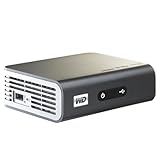
The top-rated WDTV Live does not support the PGS (full Blu-ray mode) subtitle which is fully supported by the ASUS O!Play. The Blu-ray subtitles are stored as PGC images. The ASUS O!Play shows the subtitles the same way as regular Blu-ray players without any additional processing.
The lack of the Blu-ray subtitle can present a big problem. For example, in the Blu-ray movie "Angeles and Demons", when Vittoria Vetra speaks to another CERN scientist in Italian, the WDTV Live does not display the English subtitle. Both the O!Play and the Panasonic Blu-ray player can show the subtitles. Unless one knows the language, the English subtitle helps a lot.
The WDTV Live shows the DVD subtitles just fine but the font is not smooth and the yellow text is not very attractive.
I have both the ASUS O!Play (Amazon)and the WDTV Live (Newegg). The WDTV Live supports the Dolby TrueHD pass through which is missing from the O!Play.
The WDTV Live is miserable with the Windows network shares. The shares are appearing and disappearing at random, frequently in the middle of the streaming. The O!Play has been very stable in this area.
The WDTV Live UI can become unresponsive at times without any busy indicator. When the network connection is dropped, it can take a few minutes to a few hours to it to come back with power recycling in between.
Both the WDTV Live and the ASUS O!Play are at their latest firmware levels at the time of this review.
When streaming high bit rate m2ts or Blu-ray ISO files, both players can stutter since the 100Mps ethernet is not fast enough. Sometimes, even the USB2 interface on those players is not fast enough. The eSATA port included with the O!Play has so far worked perfectly without any stutters.
Neither player is perfect. But in the end, I will return the WDTV Live and keep the O!Play for the PGS subtitle support, robust network performance and the eSATA port.
Get more detail about Western Digital WD TV Live Network-ready HD Media Player WDBAAN0000NBK-NESN.

No comments:
Post a Comment